SaaSPropTechProduct Design2023 - Now15 min read
Report Writing Ecosystem
This case study covers how we moved 10,000+ home inspectors in US off a decade-old legacy platform onto an ecosystem we built from scratch without breaking a single day of their work.
~43 mins
Reporting Time
down from ~4 hrs on ISN (Legacy Platform)
*Measured via SmartLook and Database
12,397
Inspectors Migrated
before the sunset date, 0.2% rollback
1,113
Daily Inspections
conducted over 40+ states across the US currently

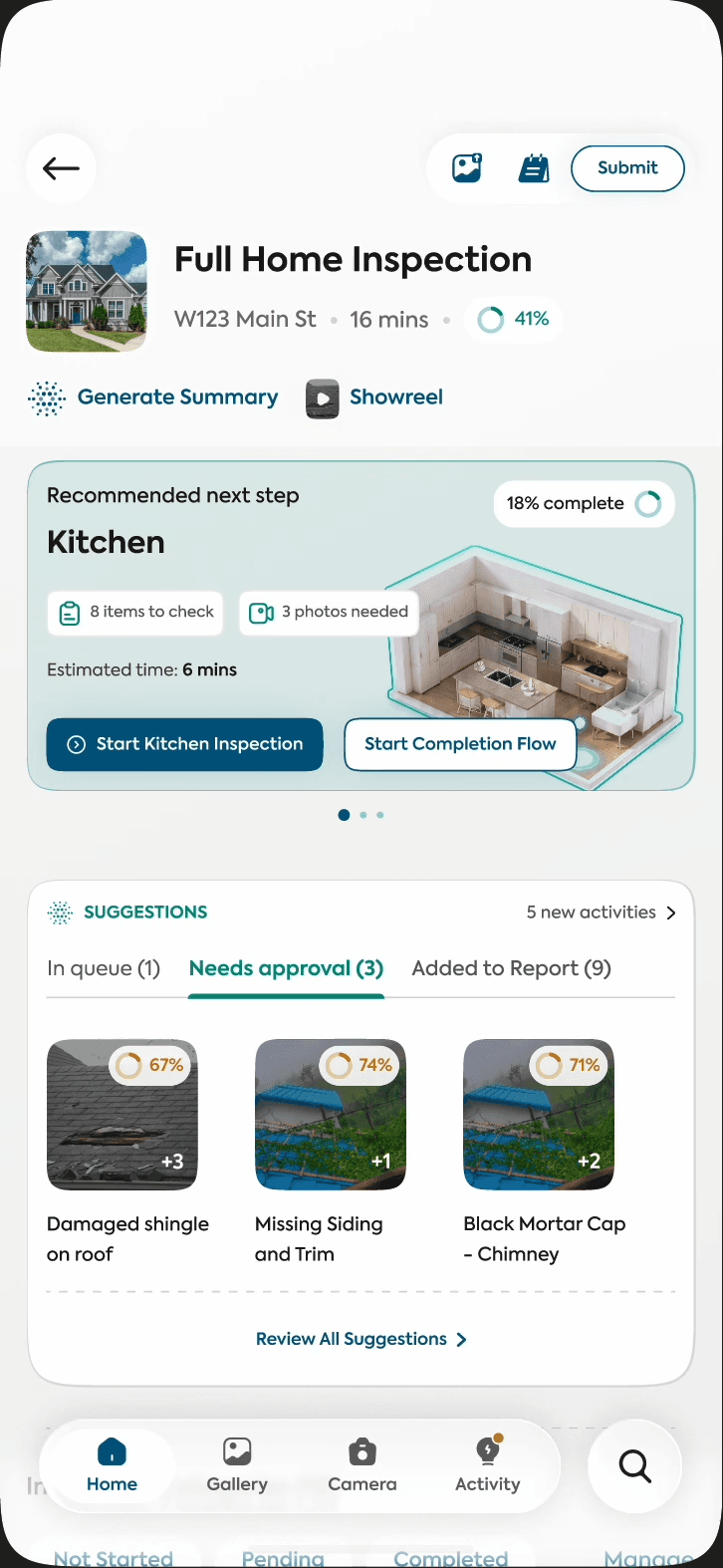

THE 60s VERSION
Project Timeline
MVP → v1 → v2 → Current
- Jul 2023
- Aug 2023
- Sep 2023
- Oct 2023
- Nov 2023
- Dec 2023
- Jan 2024
- Feb 2024
- Mar 2024
Discovery
- Legacy workflow audit
- Competitor Research
- Surveys
- 1-1 & Focus Group Interviews
Discovery
- Legacy workflow audit
- Competitor Research
- Surveys
- 1-1 & Focus Group Interviews
THE DISCOVERY
First we investigated the source. Then we went to the people who lived in it.
ISN's report writer: a decade of accumulated structure. Every one of these fields is someone's habit.
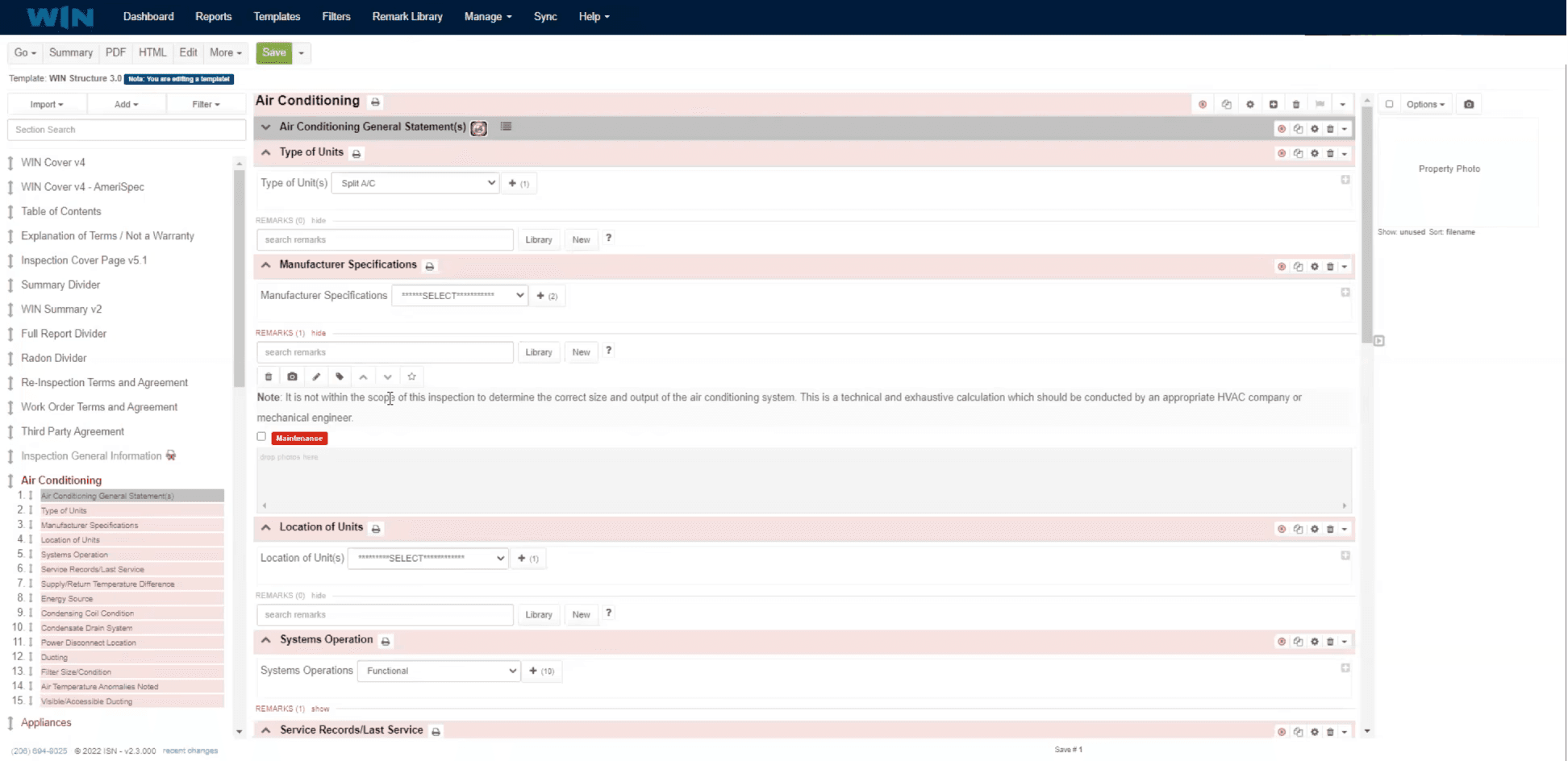
The ISN(Legacy) Audit
Before designing anything, we mapped what ten years of accumulated structure actually looked like: 29 templates, 500+ sub-categories, 7,016,823 remarks. Understanding what inspectors would lose mattered more than imagining what they'd gain.
Then the inspectors
1031
Feedbacks collected
 Survey
To size the pain: which parts of report writing cost the most time, at scale.
74
Users interviewed
 1-1 & Group Interview
To find the workflow beneath the workflow: the notepads, workarounds and personal systems inspectors built around ISN's gaps.
3
Go-Pro Inspections Studied
 GoPro
GoProTo see what nobody reports in an interview: where hands are full, gloves are on, and the phone goes in a pocket.
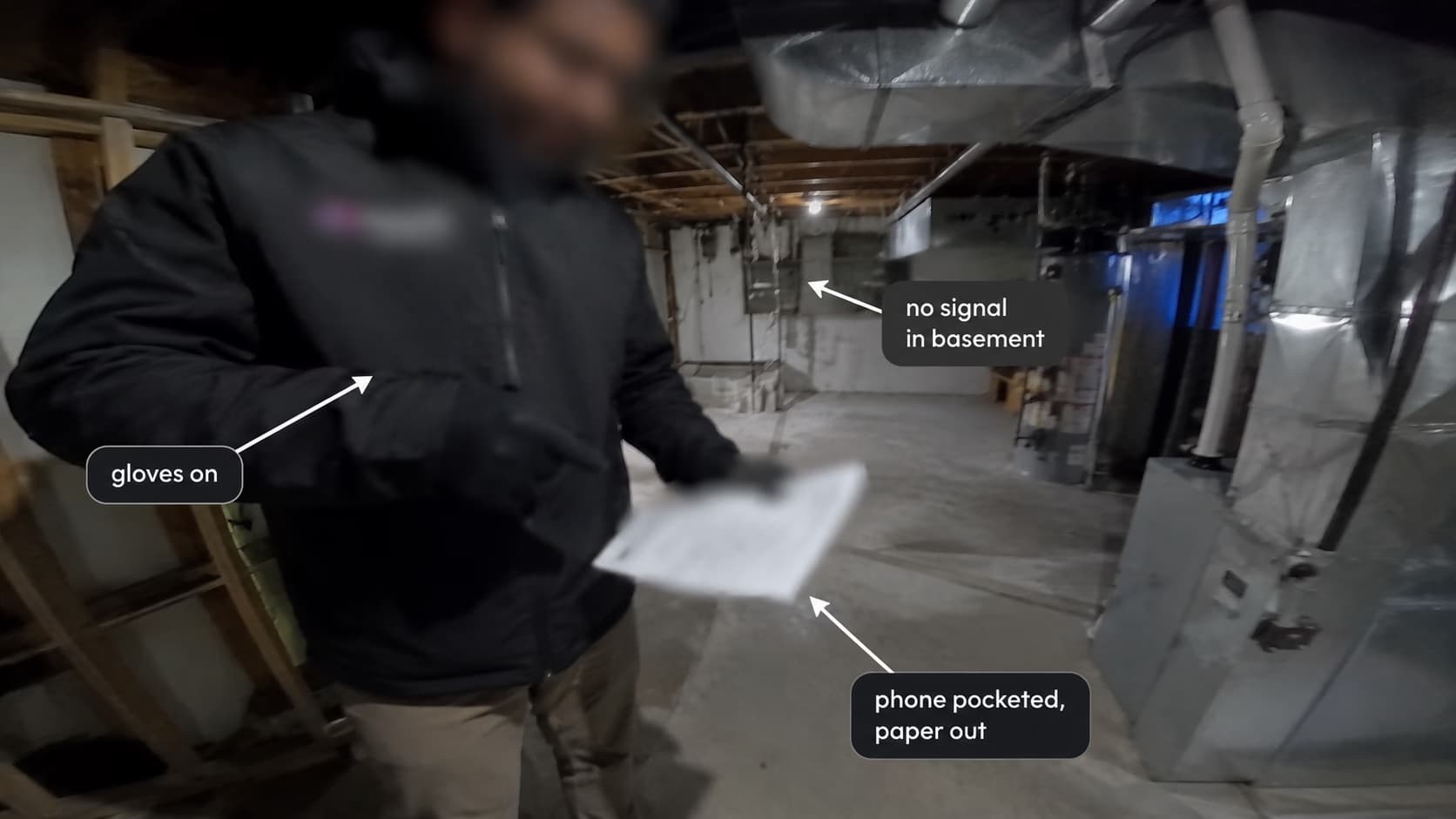 GoPro
GoProTHE SYNTHESIS
This wasn't a redesign. It was a migration with no safety net.
The reframe
We went in assuming inspectors hated ISN. They didn't. They hated the friction — the lag, the 500-category scavenger hunt, the web app that crashed on an iPad mid-inspection. The structure itself had become muscle memory they relied on. That distinction rewrote our brief. We weren't designing an escape from ISN. We were designing a faster body for habits that already worked to bring the inspectors over, to then ship other things that’d complement the workflow that already worked.
A pile up of constraints
Moving 2,172 inspectors to an entirely new product meant designing inside a tight timeline with feedback loops, onboarding, data recovery and training running in parallel. I argued for, and we committed to an offline-first mobile app as the MVP. It was the harder engineering path, but it was the only one that matched how inspections actually happen. That decision came with its own pile-up:
A decade of muscle memory, inspectors had spent over 10 years using the legacy platform. The redesign had to improve efficiency without forcing users to relearn how they inspected homes.
Offline wasn't optional, inspections often happened in areas with unreliable connectivity. Reports, photos and remarks needed to work locally first and sync reliably once a connection became available.
Flexible inspection workflows, no two inspectors followed the same sequence. The product had to support multiple ways of documenting an inspection rather than enforcing a rigid workflow.
Fixed migration timeline, the legacy platform had a defined sunset date. We needed to ship a stable MVP quickly, then improve the experience through production feedback and phased rollouts.
Complex inspection ecosystem, the mobile app wasn't the only product. Every decision had to align with template management, reporting, interactive reports, CRM integrations and future web support.
Multiple stakeholders, every feature balanced feedback from inspectors, SMEs, engineering, product managers and executive leadership, each with different priorities, expectations and opinions which we had to prioritise and say NO to.
Template & remarks. Our biggest challenge. Managing 29 different templates with remarks from 40+ states with different requirements for each.
Three themes from 1,031 responses and 74 interviews
Time pressure is commercial, not personal.
Clients expect same-day reports; every hour of writing time is business risk.
My clients want the report on the same day, and it brings a negative impact on my business when i’m not able to do so.
1-1 InterviewZoomIt’s so difficult to train my additional inspectors. I get so many inspections calls but have to turn them down as it takes so long to complete even two in a day.
SurveyGoogle FormsThe tool loses people mid-task.
Inspectors got lost navigating 500+ categories while physically walking a house.
I messed around with it during beta testing…hated it. Wasn’t intuitive and it felt clunky. I’m not sure if they worked out the kinks or not.
 Redditr/HomeInspectors
I often find myself getting lost within the application, it becomes frustrating after a point. I have 500+ categories to go through for each inspection report.
1-1 InterviewZoomOne thing that really surprised us was that we were considering the inspectors as not tech-savvy but it changed the minute we entered the first interview. The workflows they maintained and learnt to work around for over 10 years surprised us.
THE PRODUCTS & their jobs
Winspect’s evolution into an ecosystem
MVP: Adapting to the inspectors
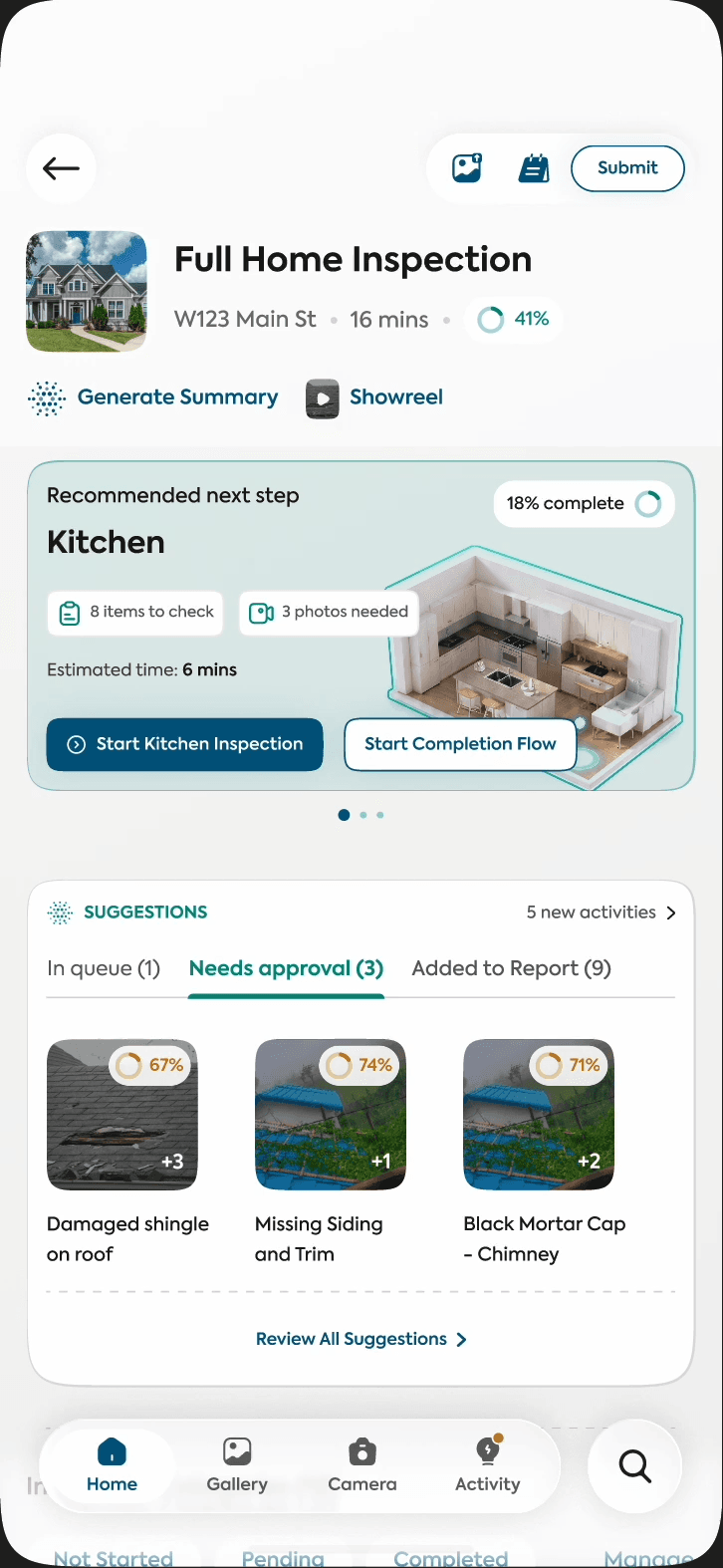
With a fixed sunset date, the question was never "what can we build?", it was "what can we responsibly not build yet?" Two inputs drew the line: what the market had already solved, and where the field work actually happens. Instead of introducing something new, we gave the inspectors a familiar playground.
- Login
- Inspection Orders Listing
- Order Details
- Inspection Workflow
 MVPv1v2
After this study
Other case studies
Scaling a
Design System
across 12 products
Welcome back
Twelve products, one system.
Go nowActive users
9,990
Reports filed
10,989
Inspections
11,988
Usage by product
Last 12 monthsCoverage
Welcome back
Twelve products, one system.
Go nowActive users
9,990
Reports filed
10,989
Inspections
11,988
Usage by product
Last 12 monthsCoverage
1 Designer, 12 Products
One library, since 2023
Thanks for reading. Here’s what else I’ve shipped.